Automatic Cap Rotation
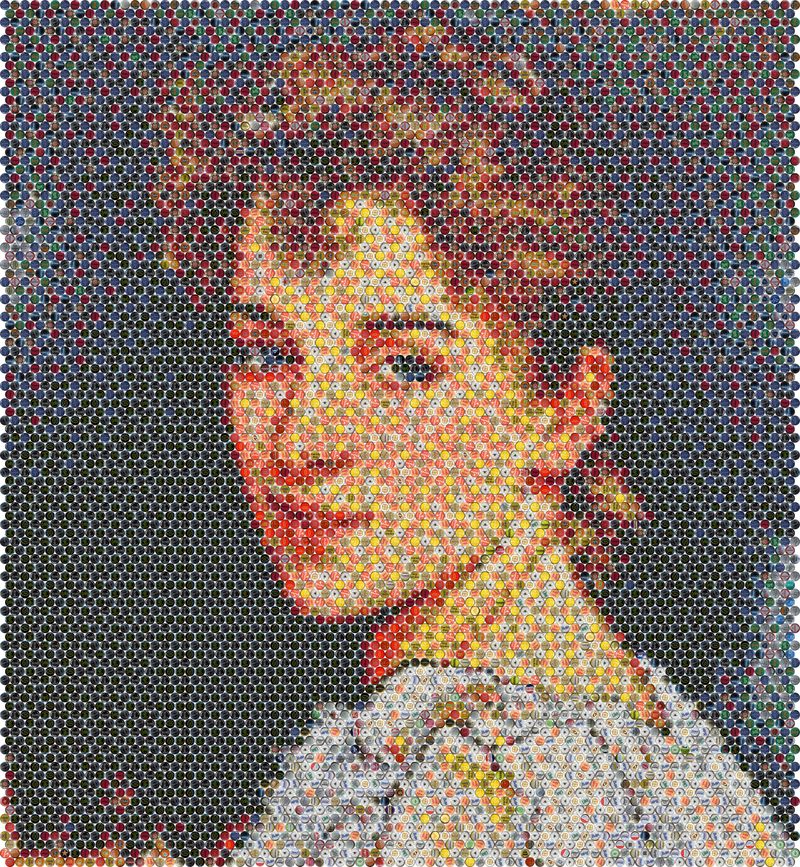
Bottle caps are not flat color swatches. Automatic Cap Rotation turns each cap to an angle that puts its natural artwork, shading, and highlights to work for your image.
Why rotation matters
A bottle cap has curvature, printed artwork, and directional highlights. The same cap can look noticeably different depending on which way it faces — a bright rim highlight at the top behaves differently than at the bottom.
From a distance, a mosaic reads through thousands of these tiny shading decisions. Rotating each cap to a better angle lets the software use the cap's own light and dark areas to reproduce the tones of your photo more faithfully.
- Uses each cap's natural shading and visual patterns
- Improves how the assembled mosaic reproduces the image
- Applied per cap, across the whole mosaic
Available in both versions
Automatic Cap Rotation works in both the Online Version and the Standalone Version. In the Standalone Version it also shapes the final Workplan — the plan you follow during assembly needs to know each cap's orientation, not just its position.
See the comparison table for the full feature breakdown between the two versions.