Create digital bottle cap mosaics in your browser
Design bottle cap mosaic artwork without installing anything. Adjust cap colors for a closer match to your photo, control cap repetition, rotate caps automatically, and save print-ready artwork for posters.
Try it in guest mode — no account needed. New registered users get a free plan.
What the Online Version does
The Online Version is built for digital mosaic design and printing. Load a photo, choose a cap library, and let the software match each grid cell to a bottle cap image.
- Browser-based access — works in your web browser, nothing to install.
- Digital bottle cap mosaic creation — choose cap size, pattern, and grid dimensions for your image.
- Overall repeat control — limit the total number of times caps are repeated across the whole mosaic.
- Automatic Cap Rotation — turns each cap to an angle that uses its natural artwork and shading.
- Cap image color adjustment — tune cap colors, brightness, saturation, and contrast so the mosaic resembles your original photograph more closely.
- Workplan generation — produce a position-by-position assembly guide from your design.
- Printable artwork — save your finished mosaic as a picture, ready for poster printing.
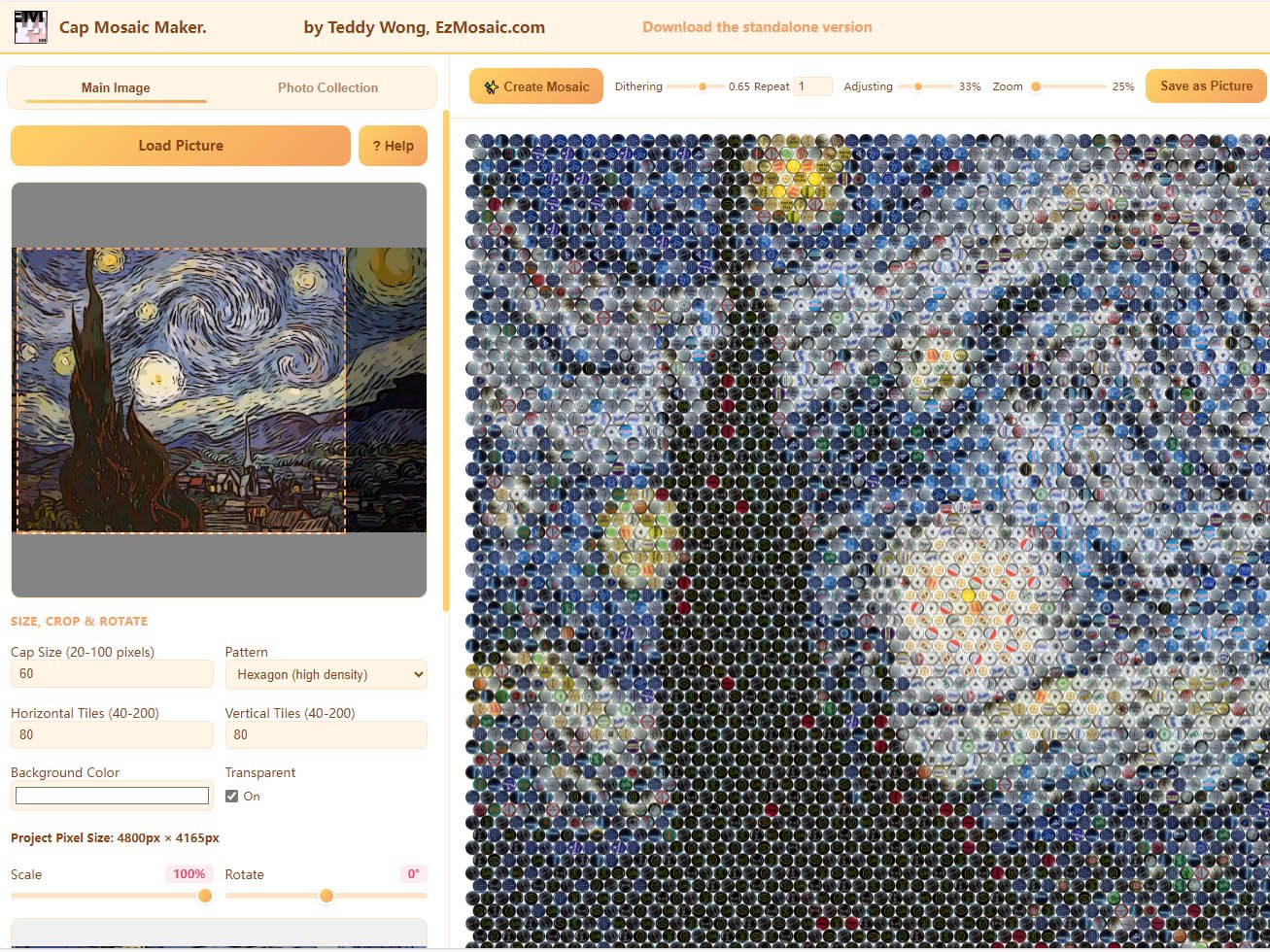
From photo to mosaic in minutes
Load a picture
Open the Main Image tab and load the photo you want to turn into a mosaic.
Set the tiles
Choose cap size, pattern, and the number of horizontal and vertical tiles.
Pick your caps
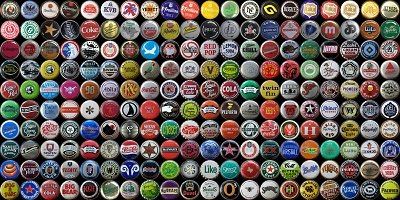
Use the built-in demo library — free and community-contributed cap samples — for a quick start, or load your own cap photos. Square, centered images up to 800 × 800 px work best.
Create & save
Create the mosaic, refine with color adjustment and repeat control, then save it as a picture.
What the Online Version does not do
The Online Version's repeat control limits overall cap usage. It does not support separate inventory or quantity limits for individual cap designs.
If you are planning a physical mosaic from a real collection — where you might own 50 caps of one design but only 3 of another — use the Standalone Version with Cap Inventory instead.
Start designing in your browser
Open the Online Version and turn a photo into bottle cap mosaic artwork.